
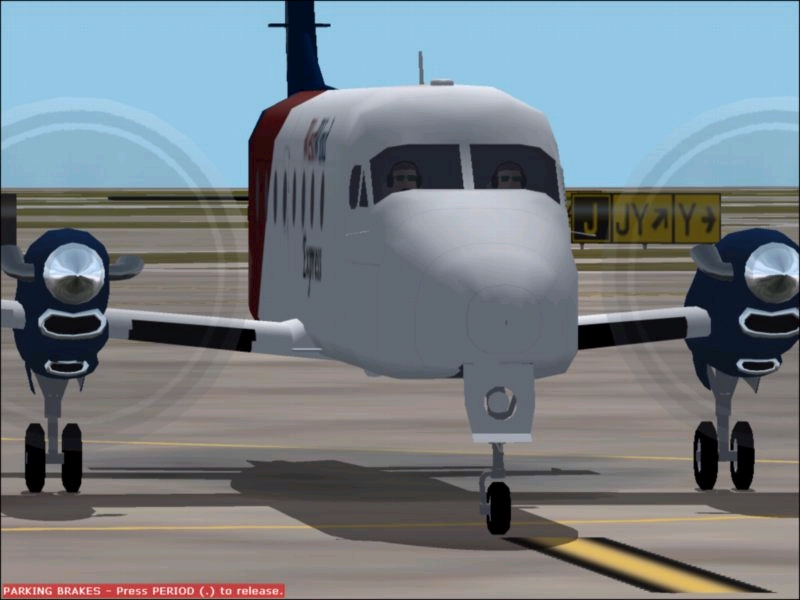
Beech 1900D
For Microsoft FS2002 & FS2004
Beech 1900D
For Microsoft FS2002 & FS2004
Last Updated July 23, 2006
|
||||||
Download:
 Click here to
download the B1900D for MSFS 2004
Click here to
download the B1900D for MSFS 2004
NOTAM: FS2004 version does not include the panel show above due to gauge problems.
Click here to
download PMDG EXPRESS Repaint
Click here to
download PMDG EXPRESS 10th Anniversary Repaint
Click here to
download PMDG B1900C 10th Anniversary Repaint
Click here to download the B1900D for MSFS 2002 Professional
Edition
Click here to download the B1900D for MSFS 2002 Standard Edition
Please note: This is the modified FS2000 WestWind Beech 1900 D aircraft patched
for the FS2002 Standard Edition.
Click here to download the B1900D POH
POH in
Adobe Acrobat format.


Special Edition FS2004 panel and updated flight dynamics for FS2004!
If you do not own a resisted copy of FSUIPC us this code to make the TCAS work.
FALCON2000_TCAS2.gau
KEY = 1KNY01SJ 0Z8R
Special thanks to Lee Hetherington for letting me recolor his TCAS gauge and to Pete Downson for a free key to make this work in FS2004.
Click here to
download the Special Edition Panel with RealityXP. You must own
RealityXP for this to work.
Click here to
download the Special Edition Panel with standard MSFS gauges.
The B1900 uses 3 numbered icons to view the cockpit. When you first enter the cockpit both the VFR and IFR panels will be showing.
Press 1 to view / hide the IFR panel
Press 2 to view / hide the VFR panel
Press 3 to view / hide the autopilot controls
Magnetic compass icon has been disabled.
If you should hide all of your panels (SHIFT+2) will bring back the IFR panel. You might have to raise your seat a notch (SHIFT+ENTER)
Click
here to warp to the Panel Department for links to optional
panels
Special Note on flying:
You will have problems slowing to Vref in this airplane. Microsoft when they designed the B350 did not account for dynamic propeller drag. Most complex propeller aircraft are designed so that this is not a problem, but as a PIC with over 1,500 hours in the 1900 I can assure WestWind pilots that the B190 propellers does produce dynamic propeller drag. This occurs any time the power levers are reduced below about 20% Torque (Q). At this point the propellers are sitting on the low pitch stops and the propeller is now creating more drag than thrust due to flat plate drag of the propeller disc. Although PSS and fanda have figured out a way to represent this in their Dash 8s, I have been unable to represent this in the B1900. Thus I added spoilers to the aircraft. When you close the throttle press the "/" spoiler key and the aircraft will behave exactly like the real airplane as the propellers are creating more drag than thrust. Just remember to suck in the spoilers on go around or you will end up in the dirt.

 Back to the
FS2002 & FS2004 Hangar Page
Back to the
FS2002 & FS2004 Hangar Page Back to WWAL FBO